IRS Partner Program

VITA Tax Assistance

The Volunteer Income Tax Assistance (VITA) Program provides free, confidential tax preparation for qualifying individuals and families across South Mississippi. In partnership with the Internal Revenue Service, all returns are prepared by IRS certified volunteers trained to meet federal quality and confidentiality standards. Free e-file and direct deposit are included so you get your refund back fast.

Free & Confidential IRS Certified 4 Locations Free E-File & Direct Deposit

Seasonal Availability

VITA services are available during the annual tax filing season, typically January through April. Contact your nearest CASOMS office for current scheduling and availability.
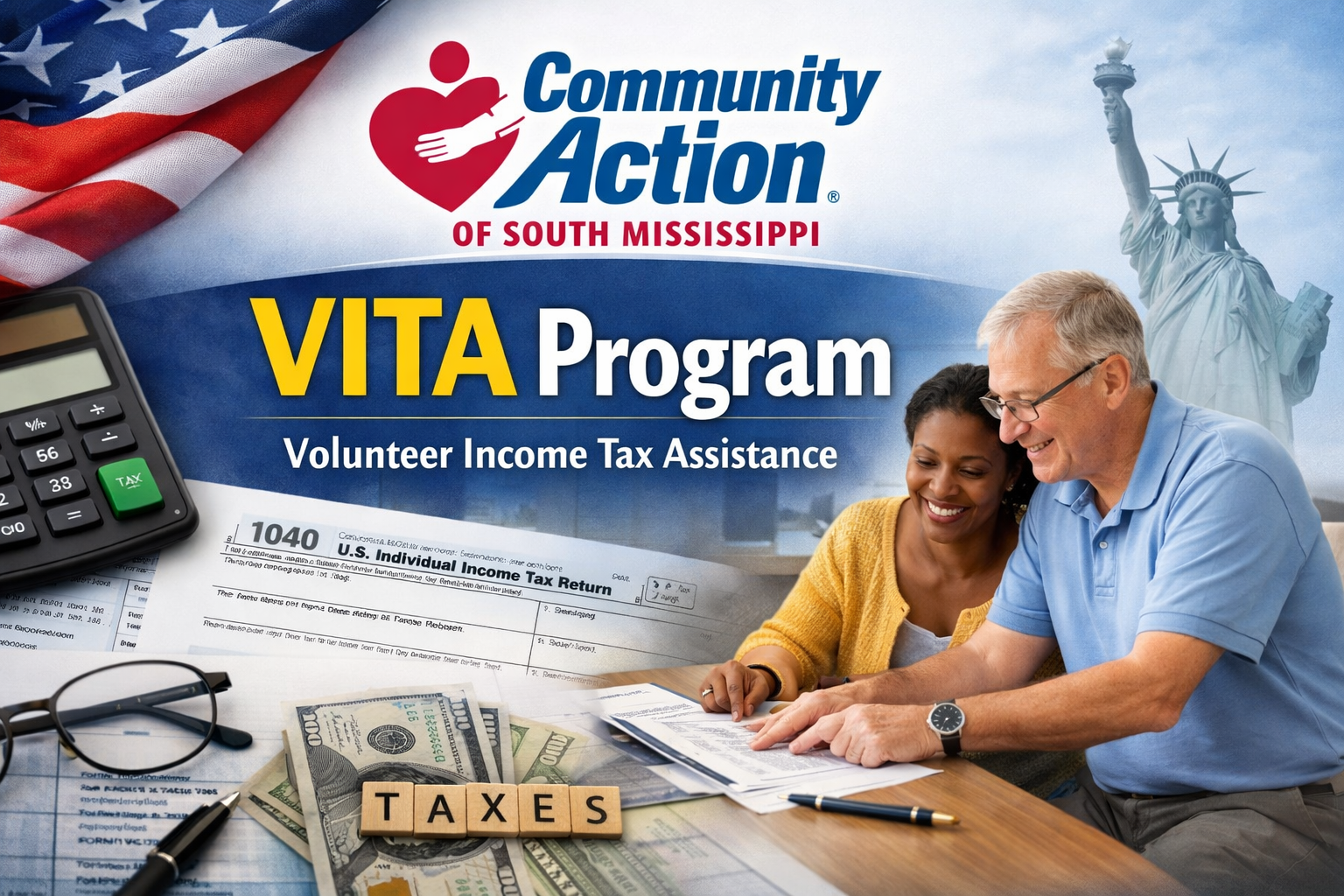
VITA tax assistance volunteer helping a community member prepare tax documents at Community Action of South Mississippi

Who Qualifies

VITA services are generally available to the following groups. Eligibility is determined based on IRS program guidelines and volunteer availability at your location.

Low to Moderate Income

Individuals and families meeting IRS income thresholds for free tax preparation assistance.

Seniors

Older adults who need help navigating tax forms, deductions, and retirement income reporting.

Individuals with Disabilities

People with disabilities who may face barriers accessing traditional tax preparation services.

Limited English Proficiency

Taxpayers who need assistance preparing and filing returns in their preferred language.

There is no fee for VITA services. All tax preparation, e-filing, and direct deposit setup are provided at no cost by trained, IRS certified volunteers.

How It Works

Getting your taxes prepared through VITA is simple. Follow these three steps to get started.

Check Your Eligibility

Review the qualifying categories above. If you fall into any of these groups, you are likely eligible for free VITA tax preparation services.

Gather Your Documents

Collect your photo ID, Social Security cards, W-2s, 1099s, and other income documents before your visit. A full checklist is provided below.

Visit a VITA Location

Come to the location nearest you during its open hours in the tax filing season, typically January through April. CASOMS sites take walk-ins, first come, first served.

What to Bring

To complete your tax return, please bring the following documents to your visit. Having everything ready helps our volunteers prepare your return quickly and accurately.

Photo ID

A valid, government issued photo ID for yourself and your spouse if filing jointly.

Social Security Cards

Social Security cards for yourself, your spouse, and all dependents being claimed on the return.

Income Documents

All W-2s, 1098s, 1099s, and any other documentation showing income received during the tax year.

Bank Account Information

Your bank routing number and account number for direct deposit of your refund.

Childcare and Education Expenses

Child or dependent care tax statements if applicable. Student loan interest or college tuition expenses paid during the year.

Non-Custodial Parent Documentation

If you are a non-custodial parent claiming a child, bring IRS Form 8332 signed by the custodial parent.

VITA Locations & Hours

VITA tax preparation is available at four locations across South Mississippi during the tax filing season. CASOMS sites take walk-ins, first come, first served, during the hours below.

Community Action of S. MS

Moss Point, Jackson County

5343 Jefferson Street, Moss Point, MS 39562

Monday through Thursday, 4:30 PM to 6:30 PM
Saturdays, 10:00 AM to 12:30 PM

Community Action of S. MS

Gulfport, Harrison County

500 24th Street, Gulfport, MS 39507

Tuesday and Thursday, 4:30 PM to 6:30 PM

Mercy Housing & Human Dev.

Gulfport, Harrison County

1135 Ford Street, Gulfport, MS 39507

Contact for current schedule and availability

Community Action of S. MS

Lucedale, George County

11 Holmes Street, Lucedale, MS 39452

Tuesday and Thursday, 4:30 PM to 6:30 PM

VITA locations and hours are seasonal and may change from year to year. Please call ahead to confirm the dates and hours for this season before you visit.

Questions and Answers

Common Questions About Free Tax Help

These answers cover common questions about our free tax program, from what to bring to what volunteers can prepare.

  • No appointment needed

    Our CASOMS VITA sites serve people first come, first served, during the hours listed above.

  • Bring every tax form

    A volunteer cannot finish your return until you have every W-2, 1099 and other tax form with you.

  • Come in person

    Because your tax information is private, the taxpayer must be there for the intake interview.

  • Basic returns only

    VITA prepares basic returns, so some self-employment and more complex returns are outside what volunteers can do.

About VITA

  • No, VITA tax preparation, electronic filing and help setting up direct deposit are all free for eligible taxpayers.

  • VITA generally serves people with low to moderate incomes, as well as some seniors, people with disabilities and taxpayers who need help in a language other than English. The IRS updates the income guideline every year, so check the IRS free tax help page (opens in a new tab) for this year’s figure.

  • No, you do not need to use any other CASOMS service, because VITA is a separate program open to any eligible taxpayer.

  • VITA runs during tax filing season, about January through April, and the exact dates, hours and sites can change each year. Check the locations above or call before you go to confirm this season’s schedule.

Visiting a site

  • No, CASOMS VITA sites take walk-ins on a first come, first served basis, so come during the hours listed for the site you choose. For the Mercy Housing site, call ahead for its current schedule.

  • CASOMS offers VITA at sites in Jackson, Harrison and George counties, and the locations section above lists each one with its hours. Because sites and hours can change from year to year, call the site to confirm before you go.

  • No, because your tax information is private, the taxpayer has to be there in person for the intake and interview. If a special circumstance keeps you from coming, call the VITA site to talk about it.

What to bring

  • Bring everything needed to prepare your return, because having it all with you can save you a second trip:

    • A valid photo ID issued by the government
    • Social Security cards or other accepted papers for you, your spouse and your dependents
    • All of your W-2 forms
    • All of your 1099 forms and any other income records
    • Your bank routing and account numbers, if you want direct deposit
    • Child care or dependent care records, if they apply to you
    • Education tax forms, if they apply to you
    • Records for any tax credits you plan to claim
    • IRS Form 8332 signed by the custodial parent, if you are a noncustodial parent claiming a child

    The IRS also keeps a detailed checklist for free tax help (opens in a new tab) if you want to double check before you come.

  • The volunteer cannot finish your return until every required form is there, so they will ask you to come back once you have it. The volunteer then moves on to the next taxpayer, so you may have to wait again when you come back.

Your return and refund

  • Volunteers prepare and e-file eligible returns, and the IRS notes that e-filing with direct deposit is generally faster than filing on paper.

  • No one can promise a refund, because whether you get money back, owe taxes or owe nothing depends on your own tax situation and the information you bring. Volunteers can tell you the result once they prepare your return, and they can walk you through how they figured it.

  • Yes, volunteers are trained to spot credits you may qualify for, such as the Earned Income Tax Credit and the Child Tax Credit, based on the information you bring.

  • In many cases, yes, so bring every form for your Social Security, pensions, retirement payouts or other retirement income, and the volunteer will see what can go on your return.

  • VITA covers some kinds of self-employment income and expenses but not all of them, so a volunteer will look at your situation to see whether it fits within the program’s limits.

  • The CASOMS VITA program can prepare some amended and prior year returns but not all of them, so call the VITA site to ask whether it can help with yours.

  • VITA services include state tax filing along with your federal return, depending on the site and your situation, so ask your volunteer whether they can do your Mississippi return during your visit.

  • The IRS has special rules for filing a return for someone who has died, and depending on the details, it may or may not be something VITA can prepare. Call the VITA site for guidance before you come in.

Privacy and limits

  • Yes, every VITA volunteer must complete IRS training, including the Volunteer Standards of Conduct, and follow rules that protect your personal and tax information.

  • Our volunteers are trained and IRS certified for the tax work they do, and they must pass that training before they prepare anyone’s return. The IRS also requires a quality review of every return before the volunteer files it.

  • VITA has set limits on the kinds of returns it can prepare, so if yours falls outside them, we may refer you to a tax professional or another resource.

  • VITA prepares tax returns, and it does not handle audits or give legal representation. If you have an IRS notice, an audit, a collection matter or another complicated tax issue, you may need help from a qualified tax professional or the right office at the IRS.

  • If your income or tax situation falls outside the program, CASOMS staff may be able to point you to another tax preparation resource. You can also use the IRS VITA Locator Tool (opens in a new tab) to find other free tax help sites near you, or call the IRS at 800-906-9887.

Short Videos From the IRS

How to Avoid a Surprise Tax Bill, a Slow Refund or a Scam

Learn how to check your withholding, whether your Social Security is taxable, which mistakes hold up a refund, and how to spot the emails and calls that steal your information. Each video comes from the IRS, runs under three minutes and has captions.

Before you file

  • Have You Checked Your Withholding Lately?

    IRS video, 1 min 16 sec, with captions

    Too little tax taken out of your paycheck can mean a bill or a penalty at tax time. See how the IRS Tax Withholding Estimator checks yours, and when to use it.

    Read the transcript

    There are many reasons to check your tax withholding. This means looking to see how much money your employer is withholding from your paycheck for federal income tax. Remember, you can visit irs.gov/withholding (opens in a new tab) any time for more info.

    It’s a good idea to check your withholding, as it will help you avoid a surprise at tax time. See, if your employer is withholding too little, you could end up with a tax bill or a penalty. Withholding too much can mean you won’t be able to use the money until you get your tax refund.

    The best way to check your withholding is to use the Tax Withholding Estimator on IRS.gov.

    You might be asking when to check your withholding. Well, it’s always a good idea to check it early in the year, when any tax law changes typically go in effect, and when you have life changes, such as getting married, a job change, or any other change to your income.

    For more information about withholding, including how to change the amount of tax your employer withholds and to access the Tax Withholding Estimator, visit irs.gov/withholding (opens in a new tab).

  • Is Social Security Taxable?

    IRS video, 2 min 8 sec, with captions

    If Social Security is your only income, it is generally not taxable. If you have other income too, this video walks through the quick math and an IRS tool that does it for you.

    Read the transcript

    One of the most frequent questions the IRS gets every year is: are my Social Security benefits taxable?

    The IRS website has a tool called the Interactive Tax Assistant that can help you answer this question. To use it, visit irs.gov/ita (opens in a new tab), then scroll down and click on “Are My Social Security or Railroad Retirement Tier I Benefits Taxable?” The ITA will guide you through a series of questions to determine whether your Social Security income is taxable.

    Here’s some things to know. If Social Security is your only income during the year, generally your payments are not taxable. On the other hand, if you have additional income, your payments may be taxable.

    Here’s a quick way to estimate if you will have to include Social Security payments as income on your tax return. Take one half of the Social Security money you collected during the year and add it to your other income. Other income includes pensions, wages, interest, dividends and capital gains.

    If you are single and that total comes to more than $25,000, then part of your Social Security benefits may be taxable.

    If you’re married filing jointly, take half of your Social Security plus half of your spouse’s Social Security and add that to all of your combined income. If that sum is more than $32,000, then part of your Social Security may be taxable.

    Again, there are lots of factors that can affect this calculation, so do yourself a favor and let the ITA do the work for you. Learn more by going to irs.gov/ita (opens in a new tab).

  • Tax Return Errors: Tips to Avoid Them

    IRS video, 2 min 42 sec, with captions

    A misspelled name, a wrong bank account number or a missing signature can slow down your refund, and this video shows the common mistakes and how to avoid them.

    Read the transcript

    Hi, I’m Christine, and I work for the Internal Revenue Service. Did you know that if there are mistakes on your tax return, it can take longer to get your refund? Worse yet, you may owe additional tax.

    Many common errors can be avoided by using tax software to walk you through each step of preparing a tax return. If you still file by paper, make sure you pay close attention to the instructions.

    Examples of common mistakes include not choosing the right filing status. You can avoid this mistake by using our Interactive Tax Assistant on IRS.gov to help you choose the right one.

    Not entering the correct Social Security numbers and names for you, your spouse and any dependents you’re claiming, exactly as they appear on everyone’s Social Security card, is also a common mistake. So make sure you double check those. And if your name changed after getting married or divorced, be sure to update the information with the Social Security Administration before filing a tax return using your new name.

    Another problem is incorrectly claiming credits and deductions. This includes things like the child care credit, the premium tax credit and the special standard deduction for people who are senior citizens or blind.

    Another frequent error is incorrectly figuring out the taxable amount of IRA distributions, pensions and annuities, or Social Security benefits. If you file a return on paper, pay close attention, because you may have to fill out a worksheet.

    And speaking of paper returns, math errors are common, as well as putting in the wrong routing or bank account number for the direct deposit of your refund, and forgetting to sign and date your return before mailing it. If you’re married and filing jointly, both spouses must sign and date the return. If not, we’ll have to send it back to you for signature.

    For more information on how to avoid mistakes, go to IRS.gov/taxerrors (opens in a new tab).

    But the best way to avoid mistakes is by using tax software or by getting help from a tax pro who uses it. Tax software even does the math for you. And chances are you can use tax software online at no cost by visiting IRS.gov/freefile (opens in a new tab). Or you may be able to electronically file for free through our Volunteer Income Tax Assistance or Tax Counseling for the Elderly programs.

    To see all your e-filing options and to get started, go to IRS.gov/efile (opens in a new tab).
Keeping your information safe

  • Avoid Phishing Emails

    IRS video, 1 min 17 sec, with captions

    Scam emails pretend to be your bank, a store or even the IRS, and they push you to click a link or open an attachment. Learn the warning signs and what to do with one.

    Read the transcript

    More than 90 percent of identity thieves and data breaches start with a phishing email.

    Phishing scams pose as a trusted company: maybe your bank, a favorite retailer, your tax software provider, or your state tax agency, even the IRS.

    Here’s one way to recognize a scam. The phishing email tells an urgent story. For example, there’s a problem with your account, or you have a tax refund pending. It instructs you to open a hyperlink in the email or download an attachment.

    The link may send you to a website that looks familiar, but your username and password goes to the thieves. That attachment may secretly download malicious software.

    Mobile phone users are especially prone to responding. If at home, just delete. If at work, follow your organization’s IT guidance.

    Remember, don’t take the bait! Learn more at irs.gov/taxessecuritytogether (opens in a new tab).

  • Easy Steps to Protect Your Computer and Phone

    IRS video, 1 min 18 sec, with captions

    Thieves work around the clock to steal identities, and these easy steps, from strong passwords to a password on your Wi-Fi, help keep them out of your computer and phone.

    Read the transcript

    Thieves are working 24/7 to steal your identity. Here are some quick and easy steps you can take to protect yourself online.

    Use security software for computers and mobile phones, and set it to update automatically. Use strong and unique passwords for all accounts. Use two-factor authentication whenever possible. Many financial institutions, email providers and social media sites offer this feature.

    Back up your files on computers and mobile phones. Secure your Wi-Fi. Thieves can eavesdrop on public Wi-Fi, or your personal Wi-Fi if it’s not password protected.

    Shop at sites that start with “HTTPS,” because the “S” designates secure.

    Thieves have become more adept at compromising mobile phones, so make sure you secure your phone as you would your computer or tablet.

    You can learn more about these basic steps and other safeguards at irs.gov/taxessecuritytogether (opens in a new tab).

  • Protect Your Identity

    IRS video, 57 sec, with captions

    Spot the fake IRS calls that demand gift cards, and see how an Identity Protection PIN keeps thieves from filing a tax return with your Social Security number.

    Read the transcript

    The IRS and our Security Summit partners are here to tell you in as many ways as we can: protect your identities and data online.

    Avoid email scams posing as your bank, credit card company or even the IRS, asking you for personal information or passwords. Watch out for phone calls claiming to be from the IRS, demanding payment on a gift card. That’s a scam, too.

    Protect your computer, tablets and mobile phone with strong security protections and strong passwords.

    Finally, prevent thieves from filing a tax return with your Social Security number by getting an Identity Protection PIN at irs.gov/ippin (opens in a new tab).

    Help us to protect your identity. Learn more at irs.gov/taxessecuritytogether (opens in a new tab).
Need Help Filing Your Taxes?

VITA volunteers are ready to help you file your taxes for free. Stop by during tax season, and our CASOMS sites will serve you first come, first served.

Or call us directly at (228) 769-3292

Volunteer with us

Become a VITA Volunteer

Every year, trained volunteers help their neighbors across South Mississippi file taxes for free through the VITA program. You do not need an accounting background to help. The IRS gives you everything you need to learn, and it is all free.

Before filing season opens, every volunteer takes a short set of online courses and passes the matching certification tests. The recordings below walk you through two of them, so you can get certified early and feel ready when the first taxpayer sits down with you.

The certifications you will complete

There are three areas of training. What you complete depends on the role you choose.

Volunteer Standards of Conduct

Every volunteer takes this ethics course and test. It covers how we keep taxpayers and their personal information safe.

Intake, Interview and Quality Review

Learn how to welcome each taxpayer, gather the right documents, and double check every return before it is filed.

Link & Learn Taxes and TaxSlayer

Volunteers who prepare returns certify at the Basic or Advanced level and practice in the TaxSlayer software before working with real taxpayers.

Every course and test is free and completed online through the IRS.

Watch the recorded trainings

Recordings you can watch anytime. Start here if you would rather move at your own pace.

Recorded session

Volunteer Standards of Conduct

The ethics training every VITA volunteer needs before the season begins.

Watch this recording
Recorded session

Link & Learn Taxes and TaxSlayer Software Practice Lab

A walkthrough of the tax law training and the TaxSlayer practice software.

Watch this recording

Ready to get started?

Have questions about volunteering with the CASOMS VITA program? We would love to hear from you.

Sign up to volunteer